Mobile Fares
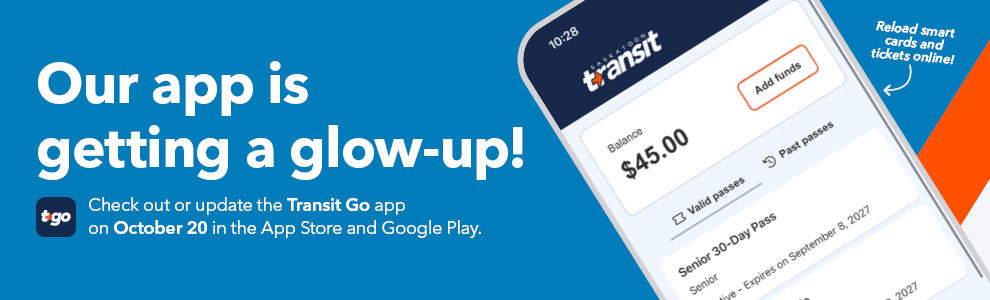
Starting October 20, customers can update or download the Transit Go app (TGo) or visit the Rider Portal to purchase fares, reload smart cards, check balances, view purchase history and manage their accounts online for most standard fare products, without visiting a vendor or the Transit Customer Service Centre. Some fare products, including those requiring eligibility verification or entitlement renewal, may still require an in-person visit.
Riders who already use mobile tickets can continue using them as usual. Participating vendors and the Transit Customer Service Centre also remain available. Cash will continue to be accepted on board.
Simply sign in or create a Justride account, select the relevant card or fare option and follow the prompts to complete your purchase.
| Transit Go App | Online Rider Portal |
|---|---|
| Update or download the app October 20 | Updated version available October 20 |
Key Benefits
- Online reloading: Purchase or reload fare products and review purchase history without visiting a participating vendor or the Transit Customer Service Centre.
- Balance checks: Check smart card, mobile ticket and stored value balances in the Transit Go app or use the online Rider Portal to check smart card and stored value balances.
- Family fare management: Link up to five smart cards to one account, making it easier to manage fares and check balances for multiple family members or a group.
- Flexible payment options: The update introduces an optional stored value feature, allowing customers to add funds to their account, pay fares using a Tap & Ride barcode, and purchase or reload fare products with their balance.
How to get started
- Beginning October 20, update or download the Transit Go app (TGo) to Version 8 software.
- Open the updated Transit Go app or visit the Rider Portal.
- Sign in to your account, or create an account using an email address you can access.
- The same account credentials are used for both the app and online portal.
- Select the Mobile Ticket or Token option you would like to purchase fares for.
- To link Tokens to your account, including smart cards or to create a Tap & Ride barcode, select the Tokens screen.
- Follow the prompts to complete your purchase or reload.
Exploring the Updated Transit Go App
The updated Transit Go app (TGo) is your one-stop-shop for most standard fare puchases and balance checks for mobile tickets, smart cards and optional stored value.
- Wallet
- Wallet displays your Mobile Tickets and Token balances (smart card and optional stored value). Plus, access to "Favourites" for quicker fare purchases.
- Tokens
- Tokens are smart cards and the new optional stored value feature. The Tokens tab also shows smart cards linked to your account. You can link up to five smart cards to one account.
- Stored Value Balance
- Stored Value is an optional new Token feature that lets customers add funds to their account, pay fares using a Tap & Ride barcode, and purchase or reload fare products with their balance, similar to loading funds onto a prepaid account and using them when needed.
- Purchase a New Pass
- Riders can purchase and reload Mobile Tickets and Tokens (smart cards and add optional stored value) all within the app or online portal for most standard fare products, without visiting a vendor or the Transit Customer Service Centre.
- A Tap & Ride barcode can be created for your stored value and pass can be loaded onto your barcode.
- Products that require eligibility or entitlement, if expired, will need to be verified or renewed in person, for example Low-Income or Discounted Social Services passes and post-secondary semester passes. Confirm your eligibility requirements before attempting to purchase or reload.
- Mobile Tickets
- Mobile tickets features are not changing. Riders can purchase mobile tickets in the Rider Portal, however, balances for Mobile tickets cannot be viewed in the Rider Portal.
- Notifications
- Access available alerts and notifications.
- Activity
- Review your purchase history.
- Tools
- Find Customer Service information, terms and conditions, trip planning tools, accessibility information and other resources.
Exploring the Updated Rider Portal
For those who prefer to use a desktop computer, the refreshed Justride Rider Portal offers many of the same fare management options as the app, including purchasing fares, reloading smart cards and adding optional stored value, checking your balances and reviewing purchase history.
- Wallet
- Wallet displays your Token balances (smart card and stored value) and your purchase history. Please note, Favourites and balances for Mobile Tickets cannot be viewed in the Rider Portal.
- Tokens
- Tokens are smart cards and the new optional stored value feature. You can link up to five smart cards to one account.
- Purchase Pass
- Riders can purchase and reload Mobile Tickets, Tokens (smart cards and add optional stored value) and Printable Tickets in the online Rider Portal for most standard fare products, without visiting a vendor or the Transit Customer Service Centre.
- Products that require eligibility or entitlement, if expired, will need to be verified or renewed in person, for example Low-Income or Discounted Social Services passes and post-secondary semester passes. Confirm your eligibility requirements before attempting to purchase or reload.
- Add Funds
- Adding funds to stored value balance is an optional new Token feature that lets customers add funds to their account, pay fares using a Tap & Ride barcode, and purchase or reload fare products with their balance, similar to loading funds onto a prepaid account and using them when needed.
- Ticket Receipts
- Shows your purchase history and another section in the Rider Portal where you can download your Printable Tickets.
Protect your account
Creating a Justride account and linking your smart cards helps protect your cards and account information. If you lose a registered smart card, contact the Transit Customer Service Centre to ask about cancelling and replacing it and transferring any eligible remaining value or fare products.
Mobile Ticketing
Mobile ticketing allows riders to purchase tickets and passes anytime from anywhere, using their mobile device. Just download either the TGo or the Transit app and purchase tickets. It’s fast, easy, and available any time you’re on the go.
Saskatoon Transit's innovative mobile ticketing application, called TGo integrates into the Transit app, Saskatoon Transit's endorsed trip-planning app.
Purchasing a ticket, TGo app: 
Make your ticket purchase online and send it to the app on your phone. Just sign in using the same username and password that you use on the TGo app. Please note if you’re sending a ticket or pass to another person’s phone (ex: your child), you’ll need to sign into the portal with their username and password.
Follow these easy steps to buy your fare:
- Download the TGo app using:
- Complete a one-time account setup (optional).
- Select “Buy Ticket.”
- Choose your ticket type.
- Enter your payment info. The pass will be delivered instantly under "My Passes." You can store your payment information for future use. You’ll need to enter your CVV number each time you buy a fare.
- Activate your ticket just prior to boarding the bus.
- Scan your ticket on the onboard validator on the bus.
Purchasing a ticket, Transit app: .png)
Follow these easy steps to buy your fare:
- Download the Transit app using:
- Press "Buy Ticket" at the bottom of the main screen.
- Choose your ticket.
- Log in or create a Transit account and enter your payment information.
- Confirm your purchase.
- Activate your ticket now, or save it for later. Saved tickets can be found under Settings under “My tickets.”
- When boarding, scan your activated ticket on the validator.
Frequently Asked Questions:
The TGo and Transit app allow you to purchase and use fare products such as regular monthly and day passes and single ride tickets (excluding discounted and low-income passes for now) directly from your mobile device.
What is Transit Go (TGo)?
The Transit Go app (TGo) allows Saskatoon Transit customers to purchase and use fare products directly from mobile devices. For a full listing of available products, see “Purchase a new pass” in the Wallet screen.
Accessing Transit Go (TGo)
The app is free to download. Search ‘Transit Go or TGo in the App Store or Google Play. Version 8 of the software will be available on October 20 on iOS or Android devices. Customers may have to complete a software update. Older versions of software will not support new features.
Fees for using mobile ticketing
Fare products purchased using either App cost the same as those purchased from our vendors or at Customer Service. When using either application, please be aware that carrier charges may apply for data usage. Saskatoon Transit (ST) is not responsible for any mobile carrier charges that a customer incurs as a result of purchasing a mobile product or downloading the TGo or Transit app.
Products
Customers can purchase the following products through the TGo or Transit mobile applications:
| Adult | High School | Child | Family | Senior | Not Activated | Activated | |
| Single Ride | X | X | X | 365 days | 90 min | ||
| Day Pass | X | 365 days | 24 hours | ||||
| Weekend Family Day-Pass | X | 365 days | 24 hours, expires midnight Sunday | ||||
| 10-Ride Package | X | X | X | X | 365 days | 90 min each | |
| 30-Day Pass | X | X | X | X | 365 days | 30 days from activation | |
| 1-Month Pass | X | X | X | X | 1 month | From the 1st day to the last day of the month | |
| 3-Month Pass | X | 365 days | 90 days | ||||
| 6-Month Pass | X | 365 days | 183 days after activation | ||||
| Annual Pass | X | X | X | X | 365 days | 365 days after activation |
If your fare expires in your wallet before use please contact Customer Service (306.975.3100).
Purchasing
After downloading the TGo mobile ticketing app, you will have the option to create an account. Accounts are required to purchase certain products. Once you have logged on to your account, select the product you wish to buy, enter your credit card payment information, and confirm your transaction. The purchased product/s will be electronically delivered to the app's ticket Wallet, in "My Passes" and a receipt for your purchase will automatically be sent to your email address.
After downloading the Transit app, you will need to create an account using your email address and a password. Set up should take under 30 seconds. Once you have logged on to your account, select the product you wish to buy, enter your credit card payment information, and confirm your transaction. The purchased product/s will be electronically delivered under MyTickets in Settings and a receipt for your purchase will automatically be sent to your email address.
Payment Options
Customers can purchase a product using a credit card. The TGo and Transit app accepts Visa/Visa Debit, Mastercard/Mastercard Debit and American Express. Payment can also be made through ApplePay on the TGo app.
Receipts for my mobile purchase
Once you purchase your mobile ticket a receipt will automatically be sent to the email address associated with your account or you can request another copy of your receipt at any time in the “Actions” menu on the TGo ticket face or contact us and we can send you a receipt.
In the Transit app you can automatically resend your receipt by going to Settings > My memberships > Agency logo > Transaction history > Tap on a ticket > Resend receipt.
Activating my Mobile Ticket
- You MUST activate your ticket or pass prior to boarding a Transit vehicle. Be ready to scan your pass or ticket on the onboard validator when boarding.
- Your purchased product/s can be found in "My Passes" on the main screen of the TGo application and on the Transit app.
- Select the ticket/pass you wish to use and tap the green "Activate Ticket" button. A sceen will pop up, letting you know your ticket details. Tap "Activate Ticket" and your activated ticket will show on your screen.
Showing my ticket
A valid ticket on TGo and the Transit app displays a QR code and a moving tricolor bar. When boarding a bus, you will scan the QR code on the lower screen of the onboard validator. If asked, you can show the ticket to an operator for visual validation.
Deactivating a ticket
Tickets can not be deactivated.
Transferring to other routes with a mobile ticket or pass
You can use the same mobile ticket or pass to transfer to other fixed route, on-demand or Access Transit vehicles. Single tickets are valid for 90 minutes.
Day passes are valid for 24 hours after activation.
Validation
- Mobile tickets are validated through the onboard validators.
- They can also be validated by visual inspection.
Please present the QR code for scanning via an onboard validator. An audible beep and a green coloured screen will identify the ticket is valid for use.
Account Setup
You will only need to provide a valid email address to enable a receipt to be emailed to you for the purchase your product. However, if you regularly use a 30-day pass, you will need to set up an account to enable you to manage and access this product.
For some entitlements (discounts) you will need to make your first purchase at the Customer Service Centre so they can grant the entitlement. After that, you will be able to purchase using your entitlement on your mobile device.
Issues With Cell Phone:
Losing cell phone service while trying to use my ticket or pass
- Mobile tickets do not need cell phone or WiFi services to activate and display a ticket. You do need connectivity to purchase a ticket.
- You must purchase your ticket before boarding the bus. If you lose cell phone service after boarding the bus, you will still be able to activate and display purchased tickets. You will not be able to make any purchases or other changes until your cell phone or wifi service is restored.
Dead battery prior to showing my mobile ticket
You are responsible for having a mobile phone in good working order and usable prior to boarding and through the duration of your trip. If your mobile phone is inoperable, it is expected that you would use some other payment method for your trip.
Activating more than one ticket on my phone
- TGo and Transit app support up to five (5) single tickets or five (5) day passes purchased in one single transaction. Single tickets or day passes cannot be transferred to someone else’s phone.
- When using a single phone for a group, the rider possessing the phone with the activated passes will need to scan each pass at the onboard validator.
Lost/new mobile device
- If you lose your phone or purchase a new device you can transfer valid, unused tickets to a new device. To do so, log in to your account from your new device and your unused tickets will be displayed. Please note tickets on your old device will become invalid.
- Mobile app users are allowed three (3) device switches over a six-month period.
- Contact Saskatoon Transit customer service (306.975.3100) if you need additional or new device switch permissions.
Storing credit card details
You have the option to store your credit card details for future transactions. CVV will need to be entered each time.
Security protections to protect my personal information
Masabi, our mobile ticketing software provider is fully certified and compliant with Payment Card Industry standards (PCI-DSS). All payment communication is fully encrypted via SSL, any sensitive data stored is highly encrypted and systems are constantly monitored for security vulnerabilities.
Transit app is also fully certified and compliant.
Troubleshooting:
App screen isn’t showing the ticket after purchase. What’s wrong?
It’s possible you haven’t activated your ticket. You can check by selecting your ticket wallet from the home screen on the TGo app or My Tickets under the gear icon on Transit app. This will show all the tickets/passes you’ve purchased. If your ticket/pass says “Inactive,” you’ll need to activate it before boarding your bus. Select the ticket/pass you wish to use and tap the green “Activate Ticket” button. A screen will pop up, letting you know your ticket details. Tap “Agree and Continue” and your activated ticket will show on your screen.
Ticket expiry
After you’ve activated your ticket, you can check how much time you have left by tapping the “Details” button at the bottom of the ticket screen. On the next screen, it will show the expiration time beside “Valid to.”
Each single ticket and day pass is valid for 365 days (except for the monthly passes, valid from the first to the last day of a calendar month).
Unused mobile tickets past their validity period will appear as EXPIRED and will no longer be accepted for travel nor will they be valid for refund.
Terms and Conditions:
Please read the Terms and Conditions carefully
The following terms and conditions (the “Terms”) govern your access to, and use of, Saskatoon Transit’s Mobile Ticketing App known as TGo (“the Services”), with sales provided by Masabi LLC “Masabi”, including, without limitation, provision of the Saskatoon Transit (ST) software application (TGo Mobile Ticketing App named TGo) and the TGo Mobile Ticketing page at SaskatoonTransit.ca/TGo (the Site) and related products (including Mobile Passes, as defined below) and customer support services. For the purposes of these Terms, the meaning of “Services” does not include any physical transit services provided in connection with the purchase and use of Mobile Passes.
ST reserves the right to modify these Terms at any time and in our sole discretion by posting revised Terms on the TGo app and Saskatoon Transit website. By using the ST TGo App, you are agreeing to accept these terms and conditions.
If you have any questions regarding the use of the Services, please refer first to the Support and Communications section of these Terms. All other questions or comments about the ticket should be directed to ST Customer Service at transit.services@saskatoon.ca or 306-975-3100
1. Mobile Ticketing
A mobile pass refers to a type of pass valid for use on a ST operated vehicle, which is purchased only through ST’s mobile app on an iOS or Android device.
When a Mobile Ticket is purchased through the TGo App, the Mobile ticket will be placed in the Ticket Wallet section of the TGo App. The pass must be activated by the user in the TGo App prior to boarding a transit vehicle.
You must display the activated Mobile Ticket upon boarding a ST vehicle, which may include electronic scanning. Any delay in displaying or failure to display the Mobile Ticket, including, but not limited to, your mobile device being in use for another reason at the time inspection or validation is requested or required, may result in the ST official refusing to allow boarding.
The security of your mobile phone or pass is your responsibility. If your mobile phone or pass is lost or stolen, ST will not be able to provide a duplicate or replacement pass at time of travel (Note: for registered account users, refer to 10. Support & Communications). The mobile pass must be retained during your entire trip on a ST operated trip. If you are unable to show a valid pass, you may be asked to provide another method of payment or to disembark. If the mobile pass has been damaged or is not readable in any way, the pass becomes invalid and a new one must be purchased. If you delete the mobile ticket app you will also delete your mobile passes. If you reinstall the mobile ticket app on the same device it was deleted, your passes will be downloaded to the device. You cannot print or transfer mobile passes.
Your ST mobile pass will be sold to you via ST’s mobile pass partner, Masabi. The mobile pass itself creates a contract between you and ST for the provision of the transport services that the mobile pass allows you to use. It is ST that provides these services to you under the mobile pass and in no event will Masabi be responsible for or have any liability to you in relation to these services or their availability or performance (including your use or access to any ST operated vehicle, the ST network, your use of any services provided under your mobile pass or for your use of the mobile retail app).
2. Prices and Receipts
The price of a mobile pass is the same as a pass you purchase from ST Customer Service or any authorized vendor. When you purchase a mobile pass on the TGo App you will be notified of the price of the pass before you confirm your purchase. For more information on fares please visit the ST fare information web page. SaskatoonTransit.ca/fares-passes
3. Reduced Fare
When you purchase a reduced mobile pass on the TGo App you must be eligible. For more information on eligibility and reduced fares please visit SaskatoonTransit.ca/fares-passes or contact Customer Service at 306.975.3100 or transit.services@saskatoon.ca.
4. Transit Mobile Application
The ST TGo App, the Site, and the respective contents thereof are protected by Canadian and international copyright, trademark laws, and other laws. Unauthorized use of the ST TGo App, the Site, or their respective contents may violate such copyright, trademark, and other laws.
You do not and will not own the ST TGo App or any information that is provided to you through the ST TGo App, the Site, or by ST or our third-party service providers. However, you are granted the limited, non-exclusive, revocable, non-transferable license to download, install, and use the ST TGo App on your mobile device, and to access and use the Site, to purchase Mobile Passes and access certain information relating to the TGo App in accordance with these Terms.
The ST TGo App and the Site are provided to you free of charge, on an “as is” basis, and you use them at your own risk. ST shall endeavour to use reasonable care and skill in providing the TGo App, within a reasonable time, in accordance with these Terms. Otherwise, except as and where expressly provided in these Terms, ST specifically disclaims any representations, endorsements, guarantees, and warranties regarding the ST TGo App, the Site, or their respective contents, or any other services or products provided in connection therewith, including any warranties that the TGo App will be provided without interruption, or that the TGo App or any associated content will be secure, accurate, current, complete, or error free.
All products, services, or content provided by third parties are provided “as is” and any representations or warranties of or concerning any such third-party products, services, or content are strictly between you and the third-party providers.
ST can suspend access to purchasing passes through the mobile application and can do so for any reason.
5. Registration
If you wish to use the TGo App, you must first register for a user account. There are two registration options available on the ST TGo App and the Site.
Anonymous Account - If you choose the option to create an anonymous account, you will be required to provide an email address for the purpose of obtaining your purchase receipts only.
Registered Account - If you choose to register for an account with full access to your transaction history and other information, in addition to an email address, you may be required to provide other information about yourself. The following conditions will apply to your provision of such Registration Data:
You agree that the Registration Data you provide is accurate, complete and will be kept up to date. Failure to do so will constitute a breach of these Terms and may result in a termination of your account and access to the TGo App without notice to you.
You are responsible for maintaining the security and confidentiality of your account user identification (“User ID”) and password. You are solely responsible for all activities that occur using your User ID, password, and mobile device.
You agree not to access or use, or attempt to access or use, the TGo App or any part thereof using the identity or the Registration Data of any person other than yourself.
You agree to immediately notify ST of any unauthorized use of User ID or password.
In certain situations, you may be asked via an email message from ST or Masabi LLC, the ST TGo App provider, to confirm your account or any Registration Data related thereto. New registrations, change of personal information, or confirmation of login are such scenarios. If such information is not confirmed, your account may be deleted by ST without notice to you. Once your account has been deleted, your account information may be retained or removed by ST in accordance with the Freedom of Information and Protection of Privacy (FOIPP) Act (Saskatchewan) and the City of Saskatoon Records Management Policy.
6. Privacy
ST is subject to the FOIPP Act (Saskatchewan) and strictly adheres to the principles contained therein. The Registration Data and any other personal information provided by you in connection with the TGo App will be used for the purposes of processing your user account registration, providing you with the TGo App (including support) and communicating with you regarding the TGo App and your account.
To make the TGo App available to you, we will need to share your information with some of our third-party service providers, including the ST TGo App provider (Masabi LLC), credit card payment processing agencies, and financial institutions. These parties may also need to collect certain financial and other additional information about you. Masabi LLC’s privacy policy (available at http://www.masabi.com/privacy-statement) explains how they will use the information which you have provided in connection with the TGo App.
Further information with respect to ST’s collection, use, and disclosure of personal information can be found at https://www.saskatoon.ca/privacy-statement By using the Site and the ST TGo App, you consent to the collection and use of your information in the manners and for the purposes as aforesaid. Please direct any inquiries regarding ST’s use of this information to the City Clerk’s office located at: https://www.saskatoon.ca/privacy-statement
7. Methods of Payment
The following methods of payment will be accepted for Mobile Pass purchases: Visa, Mastercard, Visa and Mastercard Debit, and American Express. All ticket prices indicated in the ST TGo App are stated in Canadian Dollars.
8. Conditions of Use
In connection with your use of the TGo App, you agree that you will not:
- restrict or inhibit any other user or other person from using the TGo App, including, without limitation, by means of hacking or defacing any portion of the TGo App,
- use the TGo App or any products provided by ST in connection therewith for any unlawful purpose;
- engage in any activity that could compromise the security of or disrupt or interfere with the ST TGo App or the Site;
- transmit any software or other materials that contain any viruses, worms, Trojan horses, defects, date bombs, time bombs, or other items of a destructive or harmful nature;
- modify, adapt, copy, sub-license, translate, sell, reverse engineer, decompile, or disassemble any portion of the ST TGo App or the Site, or otherwise attempt to derive any source code or underlying ideas or algorithms or any part of the ST TGo App or the Site;
- remove any copyright, trademark, or other proprietary rights notices contained within the ST TGo App or the Site;
- use any robot, spider, offline reader, site search/retrieval application, or any other manual or automatic device or process to retrieve, index, data mine, or in any way reproduce or circumvent the navigational structure or presentation of the ST TGo App, the Site, or their respective content; or
- take any action that imposes or may impose (in ST ‘s sole discretion) an unreasonable or disproportionately large load on ST ‘s infrastructure, or on the infrastructure of ST’s third party providers.
9. Data charges
The TGo App is free, but data charges may be incurred to you by your cell phone network provider. The ST TGo App requires a correctly configured and functional wireless internet data connection, both for the initial download and installation onto a mobile device and for the purchase of Mobile Passes. You are responsible for any such costs. ST will not take responsibility for any connectivity issues you may experience.
Please contact your network provider if you require assistance configuring a data connection for your mobile device.
10. Support and communications
If you have any questions or problems with the mobile application, passes, ticket(s), TGo App, or the Site, refer to the FAQ sections of the ST TGo App and the Site at SaskatoonTransit.ca/TGo. If the FAQs do not answer your questions or resolve your problems, please contact ST Customer Services by telephone at 306-975-3100 or transit.services@saskatoon.ca. (please do not contact Masabi LLC or any distributor of the ST TGo App for a support request as they will not be able to assist you.)
The ST TGo App is supported on the Apple iOS and Google Android platforms ST makes no warranty or representation regarding the continued availability, content, or performance of such support. Download and operational success may depend on your device’s settings.
ST may send communications to you through the ST TGo App, or any email or phone number provided as part of Registration Data. These communications may include, technical, and support information, and information on updates or changes. By registering for an account through the ST TGo App or the Site, you agree to allow ST to provide you with such communications.
ST may cease to operate and support the ST TGo App, or a particular version of it, at any time. In this event, you will be unable to access the TGo App (or relevant version of it) through the app and you may be unable to download or install updates of the ST TGo App. ST may also require you to delete the ST TGo App from your mobile device, or to remotely deactivate your account on your mobile device at any time and for any reason in ST ‘s sole discretion.
11. Availability & Updates
The mobile pass can be used on all ST operated buses. The mobile pass is valid when the ticket is activated on the mobile app after purchase. You may not start your trip on a ST vehicle until you have a valid pass. Once purchased, the mobile pass will specify the fare type, the validity of the pass and its expiration date.
ST reserves the right to issue updates to the mobile application, in which case you may not be able to continue use of the version of the mobile application installed on your mobile handset without downloading the latest update. ST recommends that you download and install all updates issued. ST is not liable for errors which become apparent in old versions of the mobile application.
ST has the right, at our sole discretion, to suspend access to the tickets available through the ST TGo App or the Site at any time and for any reason, with or without notice. ST will use reasonable effort to only suspend access when carrying out maintenance on the ST TGo App, the Site, or the systems supporting them, except when ST suspects fraudulent activity or believes you are seeking to access or use the tickets other than in accordance with these Terms.
12. Changes, Refunds and Pass Expiration
The decision to change, cancel or refund a mobile pass is made at ST’s sole and absolute discretion.
Neither ST nor Masabi shall be obliged to change, cancel, replace, or refund a ticket where ST has reason to believe that the circumstances prompting the change, cancellation, replacement, or refund is the result of fraud.
13. Materials, Ownership and Restrictions on Use
The mobile ticket app is operated by ST and is either owned by ST or its third-party licensors (including without limitation Masabi) and any data, text, graphics, images, audio and video clips, logos, icons, software and links and any intellectual property and other rights relating thereto, are and will remain the property of ST or Masabi or their respective licensors. You may not copy (other than copies made incidentally on your mobile in the course of your use of the mobile ticket app), reproduce, republish, upload, post, transmit or distribute the mobile ticket app or any of its content without the prior written permission of ST and its licensors. Nor may you: (i) reverse engineer, decompile or seek to obtain the source code to the mobile ticket app except where and to the extent expressly required to be permitted by applicable law; or (ii) make or seek to make derivative works based on the mobile ticket app. Use or downloading of the TGo App is conditioned on acceptance of the terms and conditions of this agreement. By using or downloading the TGo App, you agree to such terms and conditions. To be clear, the TGo App is supplied to you by ST and neither Masabi nor any of ST’s other third-party licensors shall have any liability to you arising out of or in connection with the TGo App.
Saskatchewan law applies to these terms and conditions and users agree that any dispute between ST and the users of the TGo App regarding the mobile application or arising out of or in connection with these terms and conditions are subject to Saskatchewan laws. The user of the mobile app understands that any information it submits under this Agreement is subject to public domain, unless exempt by law.
14. Liability Disclaimer
ST is not responsible for any loss or damage which you may suffer in relation to your use of ST services in connection with Mobile Passes purchased through the ST TGo App, Web Portal, or the Site (including delays, cancellations, or disruption to transit services). Any further terms and conditions imposed by ST regarding transit services will apply to all such transit services provided to you in connection with Mobile Passes purchased through the ST TGo App or the Site and you should read such FAQs and additional terms and conditions carefully at SaskatoonTransit.ca/TGo.
All third-party suppliers of products, services, or content accessible through links contained within the ST TGo App or the Site are independent entities and ST is not responsible or liable for any wrongful act or omission on the part of any such third parties, for any products or services provided by such third parties, or for any of the content on such third-party websites. If you decide to access linked third-party websites, you do so entirely at your own risk. When you visit another site, please review their terms of use.
In no event will ST be liable for any direct, indirect, special, punitive, exemplary, or consequential losses or damages of whatsoever kind arising out of the use or misuse of, or inability to access or use, the ST TGo App, the Site, or any ticket or products provided in connection therewith, whether ST has been advised of the possibility of or foreseen such losses or damages and howsoever caused or arising, whether based on breach of contract, tort (including negligence), product liability, or any other theory of legal liability.
15. Indemnity
You agree to indemnify, defend, and hold harmless ST and its officials, officers, employees, contractors, and authorized agents and representatives from and against any liability, loss, damages, injury (including injuries resulting in death), demand, action, cost, expense, or claim of any kind (including, without limitation, lawyers’ fees) in any way arising out of your use or misuse of, or inability to access or use, the ST TGo App, the Site, or any ticket or products provided in connection therewith.
16. Termination
If you violate these Terms or any policies or guidelines posted on the ST TGo App or the Site, ST will have the right to immediately terminate your license to use the ticket and all access to your account through the ST TGo App and the Site. ST reserves all its other rights at law and in equity.
17. Other Terms
ST may amend or update these Terms from time to time. Whenever you make a purchase via the ST TGo App or the Site, you will be asked to confirm your acceptance of the most up-to-date version of these Terms. If you do not agree to any changes ST makes to these Terms, you should stop using the ST TGo App and the Site, as your use of the ST TGo App or the Site after the effective date of such changes will constitute your continued acceptance of these Terms, as updated.
These Terms (as may be amended, updated, or supplemented from time to time) are intended by ST to set out the entire agreement between ST and you with respect to your use of, and the provision by ST, of the ticket. ST recommends that you read them carefully to protect your own interests and to ensure that you understand your rights and obligations hereunder. The use of the ticket, and any purchase made through the ST TGo App or the Site, are governed by the laws in force in the Province of Saskatchewan and Canada. You agree and submit to the exclusive personal jurisdiction and venue of the courts located in Saskatoon, Saskatchewan. The United Nations Convention on Contracts for the International Sale of Goods will not apply.